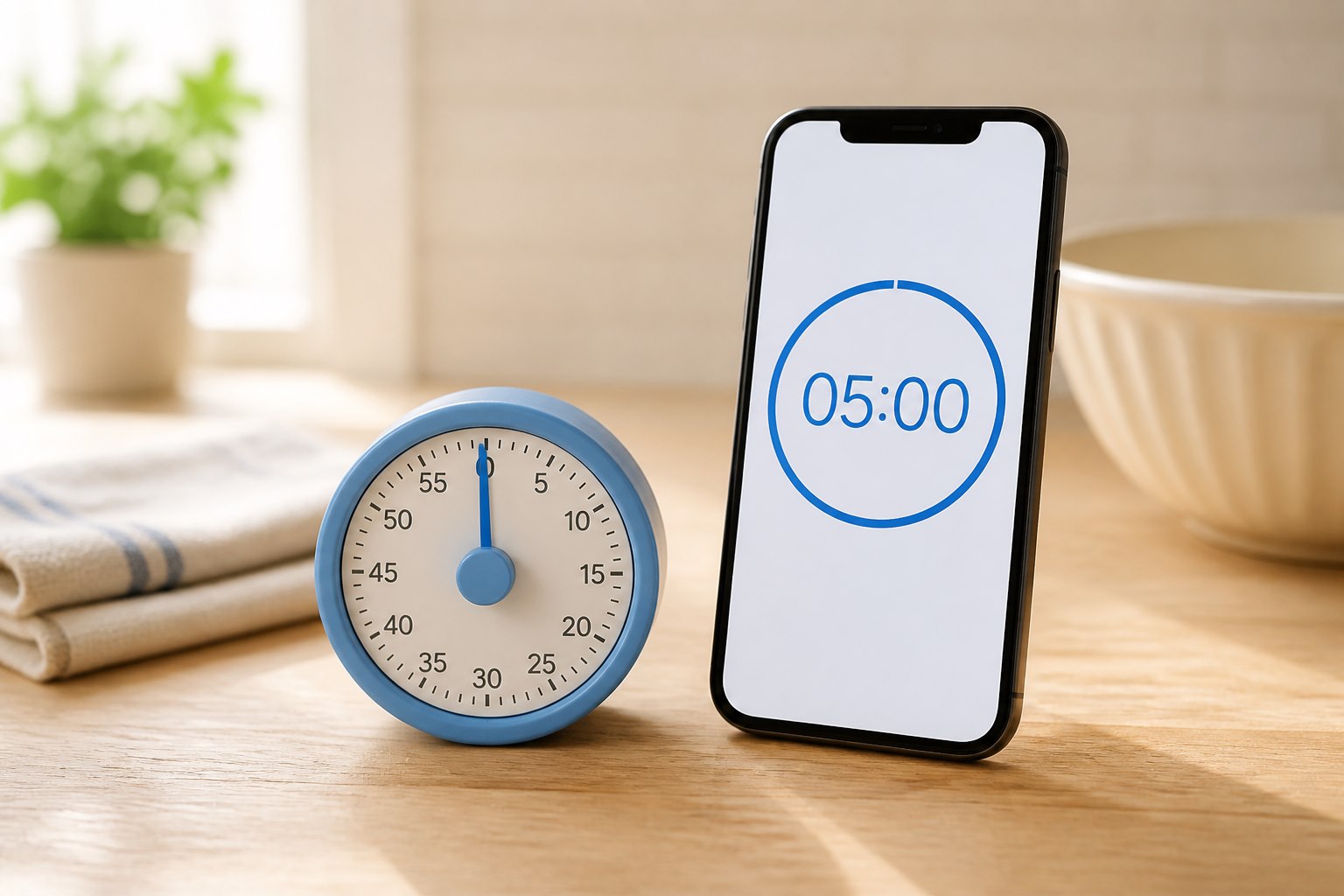
Use your phone timer if you can set it easily, hear it reliably, and leave the phone where you need it while cooking. A separate kitchen timer is worth considering when the phone becomes a distraction, moves out of earshot, or is awkward to use with messy hands. Try your existing setup before buying another device.
The decision is about how you cook, rather than whether a phone or a dedicated gadget is inherently better. A timer that stays beside the oven can be useful in a shared kitchen. A phone may be more convenient when one person prepares a straightforward meal and already keeps it nearby.
1. Can you hear and identify the alert?
A countdown has little value if nobody notices when it ends. Test the alert during normal kitchen activity, with the extractor fan running and from the place where you usually wait. An alarm that sounds obvious in a quiet shop may be harder to distinguish at home.
Check the actual timer settings. Don't assume that ringtone volume, a silent switch, or a notification setting controls every type of alert in the same way. Phone models and timer apps differ. On a dedicated timer, look for adjustable volume if you share a small space or find some sounds uncomfortable.
Also check what happens after the first beep. Does it continue, repeat, flash, or stop quickly? Choose an alert you can notice without relying on someone else to call out from another room. If an audible alert isn't suitable for you, investigate an accessible combination of visual or vibration cues and test it in practice.
2. How many tasks are you timing?
One countdown may be enough for a tray of vegetables. Cooking rice while baking and remembering to turn something halfway through requires a clearer system. The feature to compare is the number of independently usable timers, plus how easily you can tell them apart.
Don't buy a separate timer just because you assume your phone supports only one countdown. Apple's current iPhone timer instructions explain multiple timers and labels. Check the equivalent instructions for your own device or app.
A useful label describes the action: “check bread” or “turn vegetables.” “Timer 2” won't help much once several things are underway. For a dedicated model, check whether separate channels have readable labels or another clear way to distinguish them.
If you choose a single-channel kitchen timer, decide what will handle your second task. That may be your oven timer or your phone. You don't need every countdown on the same device if the division is easy to remember.
3. What happens when your hands are wet or messy?
Touchscreens can be inconvenient when your hands are covered in flour or cooking residue. Physical buttons may be easier, but their size and layout still matter. A button you regularly press twice by accident isn't an improvement simply because it isn't on a screen.
Try the motions you'll repeat: adding a minute, starting, pausing, and clearing a timer. Check whether clearing one countdown also resets settings you'd prefer to keep. With a dial, confirm that its markings are readable from where the timer will stand.
Voice control can reduce touching, but verify that the intended duration was heard correctly. Kitchen noise, an unfamiliar phrasing, or more than one nearby device can complicate a simple request. Look for a visible confirmation before walking away.
Clean either device according to its manufacturer's instructions. A kitchen product isn't automatically waterproof, and neither a timer nor a phone belongs where spills, steam, or a hot pan can damage it.
4. Will the timer stay in the kitchen?
Imagine setting a timer, answering a message, and taking your phone upstairs. You haven't lost the countdown, but the person still cooking may have lost access to it. In a shared kitchen, a visible timer can make the handoff clearer.
A separate timer also creates a boundary if checking one alert tends to lead to several minutes of scrolling. That benefit is personal. You can try leaving your phone on a stand with the timer visible before deciding that a new object is necessary.
Think about placement. A stand should stay upright when you press a button. A magnet needs a suitable surface, and the timer should remain away from heat. Keep it somewhere people can see without leaning over the stove. Its usefulness comes from a dependable location, not from becoming another item you have to find.
5. Does the extra device justify its upkeep?
Your phone is already part of your charging routine. A dedicated timer may need a battery replacement, charging cable, or occasional resetting. Check which batteries it uses and whether you can replace them easily.
Compare the full arrangement rather than the purchase price alone. Does the timer need a stand? Is its display always readable, or does a backlight require another button press? Can someone else in the household use it without being taught a sequence of controls?
For a basic kitchen, clear digits and straightforward controls may matter more than a large maximum duration or extra modes. Consider how often the device will be used. If you cook with a timer only occasionally and the phone works reliably, keeping the current setup is a reasonable choice.
Make the decision over your next few meals
Before shopping, notice the specific failure you want to prevent. Did you miss the sound? Lose track of which countdown belonged to which food? Carry the timer away? Those observations give you a short feature checklist.
Choose the phone when it passes those checks without friction. Choose a dedicated timer when a fixed location, clearer controls, or a separate alert solves a repeated problem. A timer helps manage time; for foods that require a safe internal temperature, use the appropriate thermometer and temperature guidance as well. The USDA explains why a temperature measurement matters.
Did this guide help?
Your optional support helps PeekBlue research and publish practical guides that remain free for everyone.
Support PeekBlue One-time support. Articles stay free.